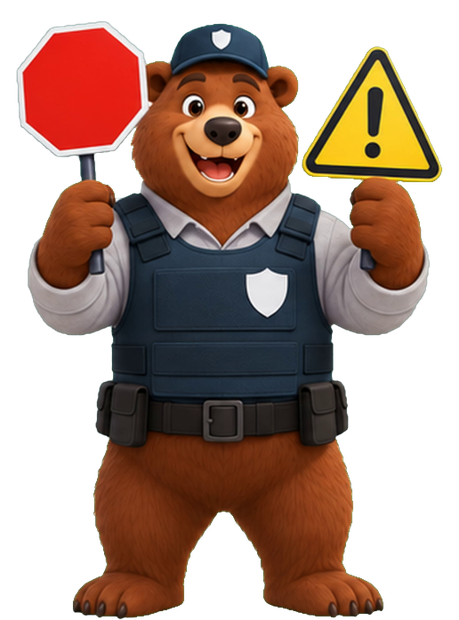
 ScamBear
STOP
It is a scam
“Unpaid toll balance of $4.15. Pay today to avoid a late fee: ezpass-pay.info”
- Fake sender
- Fake link
- Wants your card
When you, or Mom and Dad, get a suspicious text, email or website, just take a photo. A few seconds later the answer appears in red, yellow or green. And a helper can be alerted when it is serious.
Fake delivery texts, shops and banks. Can you see what is wrong?
Text Message · Today 10:42 AM
USPS: Your package is on hold due to an incomplete address. Pay a $1.99 redelivery fee: usps-redelivery.info
NIKE OUTLET
Warehouse sale · Today only

Air Max 90 −80%
$129.99 $25.99
Online BankingToday
security@onlinebank-verify.info
Verify your account within 24 hours
Dear customer, your account has been temporarily locked. Sign in to confirm your identity and avoid closure.
Verify my accountEach answer has its own color, its own shape and its own word. Below it, a few words on why. The answer can also be read aloud.
It is a scam
“Unpaid toll balance of $4.15. Pay today to avoid a late fee: ezpass-pay.info”
Ask your family first
“Hi Mom, I have a new number. Text me here.”
It looks fine
“Reminder: you have a dentist appointment on Tuesday at 10:30 AM.”
No account and no password to check a message. The app works as soon as it is installed.
Tap the big button and take a photo of the message, pick a screenshot, or share the message straight to the app from Messages, Mail or Safari.
The sender, the links and what the message asks you to do are assessed in a few seconds. Private numbers are covered before anything leaves the phone.
Red, yellow or green, with two or three short reasons. The answer can be read aloud. Still unsure? Send the message to a helper with one tap.
You choose the first time you open the app. The senior and the helper use the same app, but each sees their own version.
These are promises, and the app is built to keep them.
No. Green means “It looks fine”. The answer is an assessment, not a guarantee. If a message asks for a bank login, a card number, an ID number or codes, the answer is never green. If the assessment is uncertain, the answer is yellow.
No person does. Private numbers are blacked out on the phone. Then an AI model (Claude from Anthropic) assesses the image and gives the answer. We do not keep the image, only the answer and the short reasons.
No, not to check messages. Only the helper creates an account, so the alerts can reach them. The senior taps a link or types a 6-digit code once, and the two phones are connected.
Yes. The app works perfectly well on its own. You can add a helper later at any time, and you can see and remove your helpers in the app.
Call your bank right away and have your cards and online banking blocked. Report the scam to the police. In the US you can also report it at reportfraud.ftc.gov, and in the UK you can forward scam texts for free to 7726. If someone is in danger or it is happening right now, call 911 (US), 999 (UK) or 112 (EU).
Yes. It can be a text, an email, a website, a Facebook message or a call shown on the screen. Take a photo or pick a screenshot.
Short, practical guides to spotting fake texts, emails, websites and calls, and what to do if something has already happened.
The USPS text scam says your package is on hold and asks for a small fee. Learn the warning signs, what to do if you clicked, and where to report it.